Yep, we may get a tiny thank-you (read: commission) when you buy through
links on Gadgetspotr — not enough for a yacht, but enough to keep the lights (and
servers) on.
Learn more
47
Highlights
73
Differences
10
Reactions
0
Likes
FSL Muse Core
vs
Glowforge Plus:
47 Highlights & 73 Differences —
So, Which Laser Engraver & Cutter Actually Works Better
Two great laser cutters compared with a focus on power consumption, material height limits, and more.
Trying to decide between FSL Muse Core and Glowforge Plus? This side-by-side comparison covers the ceramic engraving, emergency stop button, input voltage & job repeat function and extras that actually matter in a laser engravers & cutters.
FSL Muse Core vs Glowforge Plus: Choosing The Right Laser Cutter For Your Needs
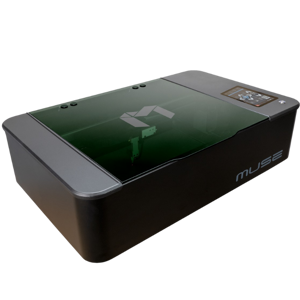
In the realm of laser engraving and cutting, the FSL Muse Core and Glowforge Plus stand out as compelling options catering to hobbyists and professionals alike. Both devices showcase versatile material compatibility, including wood, ceramic, stone, food, and glass engraving capabilities, and come equipped with comprehensive safety features such as enclosure protection, emergency stop buttons, and eye protection shields. Despite these shared attributes, the two differ significantly in laser performance, control interfaces, workflow support, and power consumption, factors that influence their suitability depending on user priorities such as precision, budget, and software ecosystems.
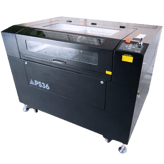
The FSL Muse Core offers a compact footprint, measuring 32.3 inches in width and equipped with a removable base, which is advantageous for handling larger or oddly shaped materials. This model supports three major operating systems: Windows, macOS, and Linux, ensuring wide user accessibility. Its laser module features medium beam quality with adjustable focus but lacks autofocus, and the laser's expected lifespan is 2,000 hours, suitable for moderate usage scenarios. Precision metrics like repeatability and positioning accuracy are unspecified, positioning this model as a solid choice for users not requiring ultra-fine detailing.
Connectivity is managed through a software control method accompanied by a 4.3-inch display, complemented by support for third-party and proprietary software that handles common file formats such as SVG, PNG, JPG, BMP, DXF, and PDF. The Muse Core, while not supporting a mobile app or cloud storage, benefits from safety rigor with overheat protection and safety sensors included.
Power consumption stands at a modest 300W, affording energy-efficient operation without compromising essential capabilities. The removable base and optional honeycomb bed contribute to flexible workflow setups, particularly beneficial for custom fabrication needs. Additionally, its medium add-on power requirements and support for USB and expansion ports facilitate accessory integration. With an expected machine lifespan of 10,000 hours and a low lubrication requirement, the Muse Core balances durability with reasonable maintenance demands.
Glowforge Plus: High-Precision Crafting with Enhanced Connectivity
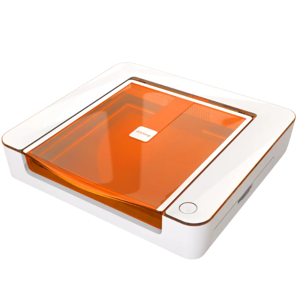
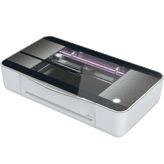
The Glowforge Plus elevates laser cutting with a high-quality beam and autofocus capabilities, dramatically improving accuracy and ease of use. The machine spans a width of 38 inches, slightly larger than the Muse Core, and offers a max material height of 2 inches without a riser and 0.5 inches with a riser; though it lacks a removable base. Precision is where Glowforge shines, boasting repeatability of 0.002 mm and positioning accuracy of 0.001 mm, enabling intricate, high-detail work not easily matched by competitors.
The device supports Windows, macOS, and Linux, and uses a touchscreen panel for intuitive control, reinforced by multi-language support, LED work lights, and status indicators for an enhanced user experience. Software versatility is a strong suit: the Glowforge Plus offers cloud storage and mobile app support, enabling seamless remote project management. Proprietary software compatibility includes formats like JPG, PNG, SVG, and PDF, complemented by third-party options.
Power consumption is notably higher at 800W, reflecting its more powerful laser system and extended expected laser lifespan of 10,000 hours. Workflow optimizations such as edge detection, custom preset storage, multi-pass processing, and job repeat functions are built in, streamlining complex engraving tasks. Maintenance requires moderate lubrication, filter replacements every three to six months, and spare parts availability on par with industry standards.
While slightly louder at 60 dB versus the Muse Core's 55 dB, Glowforge Plus maintains similar environmental operating conditions. Accessory integration is via an AUX port, and it refrains from offering an optional honeycomb bed. The machine and laser's predicted lifespan is notably longer at 20,000 hours, further justifying its premium pricing and professional-grade positioning.
Quick Take
The FSL Muse Core excels as a budget-conscious laser cutter with essential features, energy efficiency, and a removable base that makes material handling straightforward. In contrast, the Glowforge Plus offers unmatched precision, advanced autofocus, cloud integration, and enhanced workflow technologies for demanding projects and professional applications.
Bottom Line Recommendation
If keeping costs low while enjoying a flexible, robust laser engraving experience is your priority, the FSL Muse Core, priced at $2,999 at MatterHackers, is an excellent pick. It satisfies a broad range of creative and business needs with its versatile OS support, safety features, and moderate power draw.
However, for those who demand superior accuracy and productivity, advanced autofocus, a larger work envelope, and cloud-connected convenience, the Glowforge Plus, available at $4,495 at MatterHackers, offers significant advantages despite the higher initial investment and power consumption.
Verdict
Winner: Glowforge Plus; Leading with superior precision, autofocus, workflow enhancements, and cloud connectivity, it serves professionals and power users best.
Runner-up: FSL Muse Core; A competitive, energy-efficient option delivering vital features and flexibility at a compelling price point for hobbyists and smaller businesses.
Side by side. The numbers. The features. No drama.
Is FSL Muse Core better than Glowforge Plus? It depends on your needs. Our gadget breakdown lays out the full story — from specs to buyer feedback.
FSL Muse Core measures 32.3 inches in width, whereas Glowforge Plus is larger at 38 inches wide. This makes Glowforge Plus more suitable for users needing a broader footprint, while FSL Muse Core is better for smaller spaces.
Width of the machine footprint.
In the battle of Machine Width,
FSL Muse Core ◉ is
better than
Glowforge Plus ◉
, delivering
lower
5.7 inch
measurement.
Don’t keep it to yourself — be the first to react and review the
Machine Width on FSL Muse Core ◉
vs Glowforge Plus ◉ and help others decide!
FSL Muse Core has a height of 8.5 inches, taller than Glowforge Plus's 8.25 inches. This minor height difference is unlikely to impact use but gives FSL Muse Core a slight vertical edge.
Total height of the machine.
In the battle of Machine Height,
FSL Muse Core ◉ is
worse than
Glowforge Plus ◉
, delivering
higher
0.3 inch
measurement.
Don’t keep it to yourself — be the first to react and review the
Machine Height on FSL Muse Core ◉
vs Glowforge Plus ◉ and help others decide!
Supported Operating Systems
Which operating systems are supported?
0
FSL Muse Core
0Votes
Windows, macOS, Linux
0
Glowforge Plus
0Votes
Windows, macOS, Linux
vs
Supported Operating Systems
Both FSL Muse Core and Glowforge Plus support Windows, macOS, and Linux operating systems. This ensures versatile compatibility with major platforms, making both machines equally suitable for broad user bases.
Indicates OS compatibility for controlling software.
In the battle of Supported Operating Systems,
FSL Muse Core ◉ is
same as
Glowforge Plus ◉
.
Don’t keep it to yourself — be the first to react and review the
Supported Operating Systems on FSL Muse Core ◉
vs Glowforge Plus ◉ and help others decide!
Control Method
What is the control method?
0
FSL Muse Core
0Votes
Software
0
Glowforge Plus
1Votes
Touchscreen Panel
vs
Control Method
FSL Muse Core uses software control, while Glowforge Plus has a touchscreen panel control method. Glowforge Plus's touchscreen may offer more intuitive interaction, making it preferable for users valuing direct device control.
Defines how the user operates the machine.
In the battle of Control Method,
FSL Muse Core ◉ is
same as
Glowforge Plus ◉
.
Based on community votes for Control Method,
FSL Muse Core ◉ earned
0 votes,
less than
Glowforge Plus ◉,
which got 1 votes.
0
Glowforge Plus
0Votes
Hobby, Professional, Education
Glowforge Plus
The Glowforge Plus is designed for a variety of applications, including Hobby, Professional, Education. This makes it versatile for different users.
Describes user applications.
In the battle of Intended Use Cases,
FSL Muse Core ◉ is
same as
Glowforge Plus ◉
.
Don’t keep it to yourself — be the first to react and review the
Intended Use Cases on FSL Muse Core ◉
vs Glowforge Plus ◉ and help others decide!
Frame Type
What is the frame type?
0
FSL Muse Core
0Votes
Enclosed
0
Glowforge Plus
0Votes
Enclosed
Glowforge Plus
The machine features an Enclosed frame type, which provides safety by containing the laser and fumes.
Describes structural design of the machine.
In the battle of Frame Type,
FSL Muse Core ◉ is
same as
Glowforge Plus ◉
.
Don’t keep it to yourself — be the first to react and review the
Frame Type on FSL Muse Core ◉
vs Glowforge Plus ◉ and help others decide!
Machine Depth
What is the machine depth?
20.3
inch
0Votes
20.75
inch
0Votes
vs
Machine Depth
The machine depth for FSL Muse Core is 20.3 inches, slightly less than Glowforge Plus's 20.75 inches. The difference is minimal, but Glowforge Plus offers a marginally deeper work area.
Depth of the machine footprint.
In the battle of Machine Depth,
FSL Muse Core ◉ is
better than
Glowforge Plus ◉
, delivering
lower
0.4 inch
measurement.
Don’t keep it to yourself — be the first to react and review the
Machine Depth on FSL Muse Core ◉
vs Glowforge Plus ◉ and help others decide!
The beam quality of FSL Muse Core is medium, compared to Glowforge Plus's high beam quality. Higher beam quality in Glowforge Plus suggests finer detail and better cutting precision, ideal for intricate projects.
Describes the uniformity and stability of the beam.
In the battle of Beam Quality,
FSL Muse Core ◉ is
same as
Glowforge Plus ◉
.
Based on community votes for Beam Quality,
FSL Muse Core ◉ earned
1 votes,
more than
Glowforge Plus ◉,
which got 0 votes.
Autofocus is not available on the FSL Muse Core but is present on the Glowforge Plus. Glowforge Plus’s autofocus feature offers ease and precision in focusing, making it more user-friendly for quick setups.
Automatically adjusts focus for optimal performance.
In the battle of Autofocus,
FSL Muse Core ◉ is
worse than
Glowforge Plus ◉
.
Don’t keep it to yourself — be the first to react and review the
Autofocus on FSL Muse Core ◉
vs Glowforge Plus ◉ and help others decide!
Who knows?
0Votes
FSL Muse Core
(Help us out by suggesting one!)
Who knows?
0Votes
Glowforge Plus
(Help us out by suggesting one!)
Defines how fast the laser can pulse for engraving detail.
Don’t keep it to yourself — be the first to react and review the
Modulation Frequency on FSL Muse Core ◉
vs Glowforge Plus ◉ and help others decide!
Laser Power Optical
What is the optical laser power?
40
Watt
0Votes
40
Watt
0Votes
FSL Muse Core
The laser power output is 40 Watt, which is essential for precision cutting and engraving across various materials.
Glowforge Plus
The optical laser power is 40 Watt, indicating the effective output power of the laser for cutting and engraving tasks.
The actual cutting/engraving power delivered to materials.
In the battle of Laser Power Optical,
FSL Muse Core ◉ is
same as
Glowforge Plus ◉
, delivering
equal
40.00 Watt
measurement.
Don’t keep it to yourself — be the first to react and review the
Laser Power Optical on FSL Muse Core ◉
vs Glowforge Plus ◉ and help others decide!
Laser Lifespan
What is the laser lifespan?
2,000
hours
0Votes
10,000
hours
1Votes
vs
Laser Lifespan
FSL Muse Core has a laser lifespan of 2,000 hours, while Glowforge Plus extends to 10,000 hours. The significantly longer laser life in Glowforge Plus promises greater durability and less frequent replacements.
Expected operational hours before degradation.
In the battle of Laser Lifespan,
FSL Muse Core ◉ is
worse than
Glowforge Plus ◉
, delivering
lower
8,000.0 hours
measurement.
Based on community votes for Laser Lifespan,
FSL Muse Core ◉ earned
0 votes,
less than
Glowforge Plus ◉,
which got 1 votes.
Glowforge Plus has a laser lifespan of 10000 hours, that's impressive!
See more
Laser Type
What is the laser type?
0
FSL Muse Core
0Votes
CO2
0
Glowforge Plus
0Votes
CO2
Glowforge Plus
The laser type is CO2, commonly used in desktop engravers for its versatility with a wide range of materials.
Indicates the type of laser module used.
In the battle of Laser Type,
FSL Muse Core ◉ is
same as
Glowforge Plus ◉
.
Don’t keep it to yourself — be the first to react and review the
Laser Type on FSL Muse Core ◉
vs Glowforge Plus ◉ and help others decide!
Laser Classification
What is the laser classification?
0
FSL Muse Core
0Votes
Class 3
0
Glowforge Plus
0Votes
Class 1
Glowforge Plus
The laser is classified as Class 1, meaning it operates with enclosed protection, generally safe for direct viewing under normal operation.
Indicates safety classification based on laser standards.
In the battle of Laser Classification,
FSL Muse Core ◉ is
same as
Glowforge Plus ◉
.
Don’t keep it to yourself — be the first to react and review the
Laser Classification on FSL Muse Core ◉
vs Glowforge Plus ◉ and help others decide!
Laser Wavelength
What is the laser wavelength?
10,600
nm
0Votes
10,600
nm
0Votes
Glowforge Plus
The laser operates at a wavelength of 10600 nm, which is characteristic of CO2 lasers and suitable for a wide range of organic materials.
Defines the wavelength of the emitted laser light.
In the battle of Laser Wavelength,
FSL Muse Core ◉ is
same as
Glowforge Plus ◉
, delivering
equal
10,600.00 nm
measurement.
Don’t keep it to yourself — be the first to react and review the
Laser Wavelength on FSL Muse Core ◉
vs Glowforge Plus ◉ and help others decide!
Laser Power Electrical Input
What is the electrical input power?
Who knows?
0Votes
FSL Muse Core
(Help us out by suggesting one!)
600
Watt
0Votes
Glowforge Plus
The electrical input power for the laser is 600 Watt, representing its power consumption from the grid.
Electrical input power needed to drive the laser.
Don’t keep it to yourself — be the first to react and review the
Laser Power Electrical Input on FSL Muse Core ◉
vs Glowforge Plus ◉ and help others decide!
Laser Spot Size
What is the laser spot size?
Who knows?
0Votes
FSL Muse Core
(Help us out by suggesting one!)
0
Glowforge Plus
0Votes
0.008
Glowforge Plus
The laser spot size is 0.008, indicating a fine beam for detailed engraving and cutting.
Defines the diameter of the focused laser spot.
Don’t keep it to yourself — be the first to react and review the
Laser Spot Size on FSL Muse Core ◉
vs Glowforge Plus ◉ and help others decide!
Laser Focal Length
What is the focal length?
2
inch
0Votes
2
inch
0Votes
Glowforge Plus
The laser has a focal length of 2 inch (5.08 cm), indicating the distance from the lens where the laser beam converges to its smallest point for optimal cutting/engraving.
Distance from lens to optimal focus point.
In the battle of Laser Focal Length,
FSL Muse Core ◉ is
same as
Glowforge Plus ◉
, delivering
equal
2.00 inch
measurement.
Don’t keep it to yourself — be the first to react and review the
Laser Focal Length on FSL Muse Core ◉
vs Glowforge Plus ◉ and help others decide!
Adjustable Focus
Does it have adjustable focus?
Yes
0Votes
FSL Muse Core
Yes
0Votes
Glowforge Plus
vs
Adjustable Focus
Both machines provide adjustable focus capabilities, allowing users to fine-tune the laser focus for different materials and engraving depths, which enhances versatility for varied applications.
Allows manual adjustment of laser focusing height.
In the battle of Adjustable Focus,
FSL Muse Core ◉ is
same as
Glowforge Plus ◉
.
Don’t keep it to yourself — be the first to react and review the
Adjustable Focus on FSL Muse Core ◉
vs Glowforge Plus ◉ and help others decide!
Laser Replaceability
Is the laser replaceable?
Yes
0Votes
FSL Muse Core
No
0Votes
Glowforge Plus
FSL Muse Core
The laser is designed to be replaceable, ensuring long-term usability and flexibility for different applications.
Indicates whether the laser module can be replaced.
In the battle of Laser Replaceability,
FSL Muse Core ◉ is
better than
Glowforge Plus ◉
.
Don’t keep it to yourself — be the first to react and review the
Laser Replaceability on FSL Muse Core ◉
vs Glowforge Plus ◉ and help others decide!
Laser Cooling Method
What is the cooling method?
0
FSL Muse Core
0Votes
Water Cooling
0
Glowforge Plus
0Votes
Air Cooling
Glowforge Plus
The laser utilizes Air Cooling for cooling, which is a common and effective method for dissipating heat.
Defines how the laser dissipates heat.
In the battle of Laser Cooling Method,
FSL Muse Core ◉ is
same as
Glowforge Plus ◉
.
Don’t keep it to yourself — be the first to react and review the
Laser Cooling Method on FSL Muse Core ◉
vs Glowforge Plus ◉ and help others decide!
Laser Upgrade Compatibility
Is the laser upgrade-compatible?
Yes
0Votes
FSL Muse Core
No
0Votes
Glowforge Plus
Allows upgrading to higher-power modules.
In the battle of Laser Upgrade Compatibility,
FSL Muse Core ◉ is
better than
Glowforge Plus ◉
.
Don’t keep it to yourself — be the first to react and review the
Laser Upgrade Compatibility on FSL Muse Core ◉
vs Glowforge Plus ◉ and help others decide!
Who knows?
0Votes
FSL Muse Core
(Help us out by suggesting one!)
0.25
inch
0Votes
Glowforge Plus
The maximum cutting depth for wood is 0.25 inch (0.64 cm), allowing for a good range of wood thicknesses to be processed.
Deepest wood thickness the laser can cut in one pass.
Don’t keep it to yourself — be the first to react and review the
Maximum Cutting Depth Wood on FSL Muse Core ◉
vs Glowforge Plus ◉ and help others decide!
Who knows?
0Votes
FSL Muse Core
(Help us out by suggesting one!)
0
inch
0Votes
vs
Positioning Accuracy
Positioning accuracy is unspecified for FSL Muse Core but impressive at 0.001 inches for Glowforge Plus, implying greater precision in layout and cuts, favoring users needing high-accuracy operations.
Defines how close the system can position the laser head to exact coordinates.
Don’t keep it to yourself — be the first to react and review the
Positioning Accuracy on FSL Muse Core ◉
vs Glowforge Plus ◉ and help others decide!
Both FSL Muse Core and Glowforge Plus support pass-through operation, enabling them to work with larger materials beyond the bed size, enhancing their versatility for various material sizes.
Allows long materials to pass through the machine for oversized work.
In the battle of Pass Through Operation,
FSL Muse Core ◉ is
same as
Glowforge Plus ◉
.
Based on community votes for Pass Through Operation,
FSL Muse Core ◉ earned
0 votes,
less than
Glowforge Plus ◉,
which got 1 votes.
Honestly, the pass through operation on Glowforge Plus is so useful, major plus!
See more
Maximum Engraving Speed
What is the maximum engraving speed?
39.37
inch
0Votes
Who knows?
0Votes
Glowforge Plus
(Help us out by suggesting one!)
FSL Muse Core
The maximum engraving speed is 39.37 inch per second, showcasing the efficiency of the engraving process.
The fastest speed at which the machine can engrave.
Don’t keep it to yourself — be the first to react and review the
Maximum Engraving Speed on FSL Muse Core ◉
vs Glowforge Plus ◉ and help others decide!
Maximum Cutting Depth Acrylic
What is the maximum acrylic cutting depth?
Who knows?
0Votes
FSL Muse Core
(Help us out by suggesting one!)
0.25
inch
0Votes
Glowforge Plus
The maximum cutting depth for acrylic is 0.25 inch (0.64 cm), suitable for various acrylic sheet thicknesses.
Deepest acrylic thickness the machine can cut.
Don’t keep it to yourself — be the first to react and review the
Maximum Cutting Depth Acrylic on FSL Muse Core ◉
vs Glowforge Plus ◉ and help others decide!
Maximum Cutting Depth Leather
What is the maximum leather cutting depth?
Who knows?
0Votes
FSL Muse Core
(Help us out by suggesting one!)
0.2
inch
0Votes
Glowforge Plus
The maximum cutting depth for leather is 0.2 inch (0.51 cm), suitable for common leather thicknesses.
Maximum depth of leather cutting ability.
Don’t keep it to yourself — be the first to react and review the
Maximum Cutting Depth Leather on FSL Muse Core ◉
vs Glowforge Plus ◉ and help others decide!
Maximum Cutting Depth Metal Assisted
What is the maximum assisted metal cutting depth?
Who knows?
0Votes
FSL Muse Core
(Help us out by suggesting one!)
0.01
inch
0Votes
Glowforge Plus
The maximum cutting depth for metal with assistance is 0.01 inch (0.03 cm). This allows for precise, shallow cuts or marking on certain metals.
Depth of metal cutting with external assistance (air/oxygen).
Don’t keep it to yourself — be the first to react and review the
Maximum Cutting Depth Metal Assisted on FSL Muse Core ◉
vs Glowforge Plus ◉ and help others decide!
Engraving Precision
What is the engraving precision?
Who knows?
0Votes
FSL Muse Core
(Help us out by suggesting one!)
0
inch
0Votes
Glowforge Plus
The engraving precision is 0.001 inch (0.00 cm), ensuring extremely fine details and sharp lines in your designs.
Refers to the smallest detectable engraving detail.
Don’t keep it to yourself — be the first to react and review the
Engraving Precision on FSL Muse Core ◉
vs Glowforge Plus ◉ and help others decide!
Repeatability
What is the repeatability value?
Who knows?
0Votes
FSL Muse Core
(Help us out by suggesting one!)
0
inch
0Votes
vs
Repeatability
Repeatability data is unavailable for FSL Muse Core but is specified as 0.002 inches for Glowforge Plus, indicating Glowforge Plus offers precise repeatability for consistent job outputs, benefiting professional workflows.
Consistency of repeated movements to the same location.
Don’t keep it to yourself — be the first to react and review the
Repeatability on FSL Muse Core ◉
vs Glowforge Plus ◉ and help others decide!
Supported Line Thickness
What is the supported line thickness?
Who knows?
0Votes
FSL Muse Core
(Help us out by suggesting one!)
0.01
inch
0Votes
vs
Supported Line Thickness
Supported line thickness is not provided for FSL Muse Core but is 0.008 inches for Glowforge Plus. Glowforge Plus allows for finer line engraving, suitable for detailed designs requiring thin lines.
Minimum and maximum thickness of engraved lines.
Don’t keep it to yourself — be the first to react and review the
Supported Line Thickness on FSL Muse Core ◉
vs Glowforge Plus ◉ and help others decide!
Supported Resolution DPI
What is the supported DPI?
1,000
DPI
0Votes
1,355
DPI
0Votes
vs
Supported Resolution DPI
Supported resolution DPI is 1000 for FSL Muse Core and higher at 1355 for Glowforge Plus. The higher DPI in Glowforge Plus allows for crisper, more detailed engraving, making it better for fine work.
Maximum engraving resolution measured in DPI.
In the battle of Supported Resolution DPI,
FSL Muse Core ◉ is
worse than
Glowforge Plus ◉
, delivering
lower
355.0 DPI
measurement.
Don’t keep it to yourself — be the first to react and review the
Supported Resolution DPI on FSL Muse Core ◉
vs Glowforge Plus ◉ and help others decide!
Maximum Cutting Speed
What is the maximum cutting speed?
19.69
inch
0Votes
Who knows?
0Votes
Glowforge Plus
(Help us out by suggesting one!)
The fastest speed at which the machine can cut materials.
Don’t keep it to yourself — be the first to react and review the
Maximum Cutting Speed on FSL Muse Core ◉
vs Glowforge Plus ◉ and help others decide!
Flame Detection
Does it have flame detection?
No
0Votes
FSL Muse Core
Yes
0Votes
Glowforge Plus
System detects flame formation during cutting.
In the battle of Flame Detection,
FSL Muse Core ◉ is
worse than
Glowforge Plus ◉
.
Don’t keep it to yourself — be the first to react and review the
Flame Detection on FSL Muse Core ◉
vs Glowforge Plus ◉ and help others decide!
Tilt Detection
Does it include tilt detection?
No
0Votes
FSL Muse Core
Yes
0Votes
Glowforge Plus
Detects tilting or instability to prevent accidents.
In the battle of Tilt Detection,
FSL Muse Core ◉ is
worse than
Glowforge Plus ◉
.
Don’t keep it to yourself — be the first to react and review the
Tilt Detection on FSL Muse Core ◉
vs Glowforge Plus ◉ and help others decide!
Vibration Compensation
Does it have vibration compensation?
No
0Votes
FSL Muse Core
No
0Votes
Glowforge Plus
System that stabilizes engraving against vibrations.
In the battle of Vibration Compensation,
FSL Muse Core ◉ is
same as
Glowforge Plus ◉
.
Don’t keep it to yourself — be the first to react and review the
Vibration Compensation on FSL Muse Core ◉
vs Glowforge Plus ◉ and help others decide!
Real Time Preview Capability
Does it have real-time preview?
No
0Votes
FSL Muse Core
Yes
0Votes
Glowforge Plus
Provides live preview of engraving position.
In the battle of Real Time Preview Capability,
FSL Muse Core ◉ is
worse than
Glowforge Plus ◉
.
Don’t keep it to yourself — be the first to react and review the
Real Time Preview Capability on FSL Muse Core ◉
vs Glowforge Plus ◉ and help others decide!
Who knows?
0Votes
FSL Muse Core
(Help us out by suggesting one!)
0.5
inch
0Votes
vs
Max Material Height With Riser
Maximum material height with riser is not specified for FSL Muse Core but is 0.5 inches for Glowforge Plus, indicating Glowforge Plus can accommodate slightly taller materials with riser use.
Maximum material height supported when a riser is installed.
Don’t keep it to yourself — be the first to react and review the
Max Material Height With Riser on FSL Muse Core ◉
vs Glowforge Plus ◉ and help others decide!
Removable Base
Does it have a removable base?
Yes
1Votes
FSL Muse Core
No
0Votes
Glowforge Plus
vs
Removable Base
FSL Muse Core features a removable base, aiding ease of material handling and cleaning. Glowforge Plus does not offer a removable base, which may limit accessibility for certain tasks.
Allows the bottom panel to be removed for large or tall objects.
In the battle of Removable Base,
FSL Muse Core ◉ is
better than
Glowforge Plus ◉
.
Based on community votes for Removable Base,
FSL Muse Core ◉ earned
1 votes,
more than
Glowforge Plus ◉,
which got 0 votes.
The removable base feature on FSL Muse Core is a game changer for material handling.
See more
Work Area Height Clearance
What is the height clearance?
2.5
inch
0Votes
2
inch
0Votes
FSL Muse Core
The work area height clearance is 2.5 inch (6.35 cm), allowing for larger materials to be processed.
Maximum allowable material height under the laser.
In the battle of Work Area Height Clearance,
FSL Muse Core ◉ is
better than
Glowforge Plus ◉
, delivering
higher
0.5 inch
measurement.
Don’t keep it to yourself — be the first to react and review the
Work Area Height Clearance on FSL Muse Core ◉
vs Glowforge Plus ◉ and help others decide!
Work Style
What is the work style?
0
FSL Muse Core
0Votes
Enclosed
0
Glowforge Plus
0Votes
Enclosed
Indicates whether the device operates in open air or inside a chamber.
In the battle of Work Style,
FSL Muse Core ◉ is
same as
Glowforge Plus ◉
.
Don’t keep it to yourself — be the first to react and review the
Work Style on FSL Muse Core ◉
vs Glowforge Plus ◉ and help others decide!
Work Area Width
What is the work area width?
20
inch
0Votes
19.5
inch
0Votes
The usable horizontal workspace width.
In the battle of Work Area Width,
FSL Muse Core ◉ is
better than
Glowforge Plus ◉
, delivering
higher
0.5 inch
measurement.
Don’t keep it to yourself — be the first to react and review the
Work Area Width on FSL Muse Core ◉
vs Glowforge Plus ◉ and help others decide!
Work Area Depth
What is the work area depth?
12
inch
0Votes
11
inch
0Votes
The usable horizontal workspace depth.
In the battle of Work Area Depth,
FSL Muse Core ◉ is
better than
Glowforge Plus ◉
, delivering
higher
1.0 inch
measurement.
Don’t keep it to yourself — be the first to react and review the
Work Area Depth on FSL Muse Core ◉
vs Glowforge Plus ◉ and help others decide!
Rotary Engraving
Does it support rotary engraving?
No
0Votes
FSL Muse Core
No
0Votes
Glowforge Plus
Indicates support for rotary modules for cylindrical engraving.
In the battle of Rotary Engraving,
FSL Muse Core ◉ is
same as
Glowforge Plus ◉
.
Don’t keep it to yourself — be the first to react and review the
Rotary Engraving on FSL Muse Core ◉
vs Glowforge Plus ◉ and help others decide!
Max Material Height Without Riser
What is the max material height without riser?
Who knows?
0Votes
FSL Muse Core
(Help us out by suggesting one!)
2
inch
0Votes
vs
Max Material Height Without Riser
Maximum material height without riser is unavailable for FSL Muse Core, whereas Glowforge Plus supports up to 2 inches, offering greater flexibility for thicker materials.
Maximum object height supported on the base level.
Don’t keep it to yourself — be the first to react and review the
Max Material Height Without Riser on FSL Muse Core ◉
vs Glowforge Plus ◉ and help others decide!
Honeycomb Bed
Is a honeycomb bed included?
No
0Votes
FSL Muse Core
No
0Votes
Glowforge Plus
vs
Honeycomb Bed
Honeycomb bed is absent in FSL Muse Core, and also unavailable for Glowforge Plus. Neither machine provides honeycomb bed support, so this factor does not differentiate them.
Indicates whether a honeycomb bed is included for airflow and cut quality.
In the battle of Honeycomb Bed,
FSL Muse Core ◉ is
same as
Glowforge Plus ◉
.
Don’t keep it to yourself — be the first to react and review the
Honeycomb Bed on FSL Muse Core ◉
vs Glowforge Plus ◉ and help others decide!
Work Surface Type
What is the work surface type?
0
FSL Muse Core
0Votes
Honeycomb
0
Glowforge Plus
0Votes
Honeycomb
Describes the type of workspace material sits on.
In the battle of Work Surface Type,
FSL Muse Core ◉ is
same as
Glowforge Plus ◉
.
Don’t keep it to yourself — be the first to react and review the
Work Surface Type on FSL Muse Core ◉
vs Glowforge Plus ◉ and help others decide!
Clamping Hold Down System
What clamping system is used?
0
FSL Muse Core
0Votes
Magnetic Clamps
0
Glowforge Plus
0Votes
Magnetic Clamps
vs
Clamping Hold Down System
Both FSL Muse Core and Glowforge Plus use magnetic clamps for their clamping hold-down system, ensuring consistent material holding during operation for improved accuracy.
Method used to secure materials during cutting.
In the battle of Clamping Hold Down System,
FSL Muse Core ◉ is
same as
Glowforge Plus ◉
.
Don’t keep it to yourself — be the first to react and review the
Clamping Hold Down System on FSL Muse Core ◉
vs Glowforge Plus ◉ and help others decide!
Grid Marking Reference
Does it have grid markings?
No
0Votes
FSL Muse Core
Yes
0Votes
Glowforge Plus
Indicates whether the workspace has grid lines for alignment.
In the battle of Grid Marking Reference,
FSL Muse Core ◉ is
worse than
Glowforge Plus ◉
.
Don’t keep it to yourself — be the first to react and review the
Grid Marking Reference on FSL Muse Core ◉
vs Glowforge Plus ◉ and help others decide!
Bed Leveling Method
What is the bed leveling method?
0
FSL Muse Core
0Votes
Manual
0
Glowforge Plus
0Votes
Automatic
Shows how the work bed is leveled for consistency.
In the battle of Bed Leveling Method,
FSL Muse Core ◉ is
same as
Glowforge Plus ◉
.
Don’t keep it to yourself — be the first to react and review the
Bed Leveling Method on FSL Muse Core ◉
vs Glowforge Plus ◉ and help others decide!
Material Pass Through Size
What is the material pass-through size?
Who knows?
0Votes
FSL Muse Core
(Help us out by suggesting one!)
20
inch
0Votes
Maximum thickness of material that can pass through if supported.
Don’t keep it to yourself — be the first to react and review the
Material Pass Through Size on FSL Muse Core ◉
vs Glowforge Plus ◉ and help others decide!
Ceramic engraving is supported by both FSL Muse Core and Glowforge Plus, ensuring both machines can handle intricate work on ceramic materials with precision.
Ability to engrave ceramic materials.
In the battle of Ceramic Engraving,
FSL Muse Core ◉ is
same as
Glowforge Plus ◉
.
Don’t keep it to yourself — be the first to react and review the
Ceramic Engraving on FSL Muse Core ◉
vs Glowforge Plus ◉ and help others decide!
Stone engraving capability is available on both FSL Muse Core and Glowforge Plus, allowing both to effectively engrave hard stone surfaces for decorative or functional purposes.
Ability to engrave stone surfaces.
In the battle of Stone Engraving,
FSL Muse Core ◉ is
same as
Glowforge Plus ◉
.
Don’t keep it to yourself — be the first to react and review the
Stone Engraving on FSL Muse Core ◉
vs Glowforge Plus ◉ and help others decide!
Wood Engraving Capability
Can it engrave wood?
Yes
1Votes
FSL Muse Core
Yes
0Votes
Glowforge Plus
vs
Wood Engraving Capability
Wood engraving capability is confirmed on both FSL Muse Core and Glowforge Plus. Users looking to engrave wood can confidently choose either model for effective results.
Ability to engrave various types of wood.
In the battle of Wood Engraving Capability,
FSL Muse Core ◉ is
same as
Glowforge Plus ◉
.
Based on community votes for Wood Engraving Capability,
FSL Muse Core ◉ earned
1 votes,
more than
Glowforge Plus ◉,
which got 0 votes.
Loving that FSL Muse Core can do wood engraving, super handy!
See more
Food Engraving
Can it engrave food?
Yes
0Votes
FSL Muse Core
Yes
0Votes
Glowforge Plus
vs
Food Engraving
Both FSL Muse Core and Glowforge Plus support food engraving, making them suitable choices for custom food decoration or marking edible products.
Ability to engrave edible items.
In the battle of Food Engraving,
FSL Muse Core ◉ is
same as
Glowforge Plus ◉
.
Don’t keep it to yourself — be the first to react and review the
Food Engraving on FSL Muse Core ◉
vs Glowforge Plus ◉ and help others decide!
Wood Cutting Capability
Can it cut wood?
Yes
0Votes
FSL Muse Core
Yes
0Votes
Glowforge Plus
FSL Muse Core
The engraver can cut wood, making it versatile for woodworking projects.
Ability to cut through wood materials.
In the battle of Wood Cutting Capability,
FSL Muse Core ◉ is
same as
Glowforge Plus ◉
.
Don’t keep it to yourself — be the first to react and review the
Wood Cutting Capability on FSL Muse Core ◉
vs Glowforge Plus ◉ and help others decide!
Acrylic Engraving
Can it engrave acrylic?
Yes
0Votes
FSL Muse Core
Yes
0Votes
Glowforge Plus
FSL Muse Core
Acrylic engraving opens doors to a range of projects utilizing clear and colored acrylic materials.
Ability to engrave acrylic surfaces.
In the battle of Acrylic Engraving,
FSL Muse Core ◉ is
same as
Glowforge Plus ◉
.
Don’t keep it to yourself — be the first to react and review the
Acrylic Engraving on FSL Muse Core ◉
vs Glowforge Plus ◉ and help others decide!
Leather Engraving
Can it engrave leather?
Yes
0Votes
FSL Muse Core
Yes
0Votes
Glowforge Plus
FSL Muse Core
Leather engraving capability indicates that this laser engraver can effectively engrave leather materials.
Ability to engrave leather materials.
In the battle of Leather Engraving,
FSL Muse Core ◉ is
same as
Glowforge Plus ◉
.
Don’t keep it to yourself — be the first to react and review the
Leather Engraving on FSL Muse Core ◉
vs Glowforge Plus ◉ and help others decide!
Rubber Engraving
Can it engrave rubber?
Yes
0Votes
FSL Muse Core
Yes
0Votes
Glowforge Plus
FSL Muse Core
The capability for rubber engraving provides additional material options for creative projects.
Ability to engrave rubber materials.
In the battle of Rubber Engraving,
FSL Muse Core ◉ is
same as
Glowforge Plus ◉
.
Don’t keep it to yourself — be the first to react and review the
Rubber Engraving on FSL Muse Core ◉
vs Glowforge Plus ◉ and help others decide!
Metal Engraving Coated Anodized
Can it engrave coated or anodized metal?
Yes
0Votes
FSL Muse Core
Yes
0Votes
Glowforge Plus
FSL Muse Core
The machine can engrave coated anodized metals, broadening its material handling capabilities.
Ability to engrave coated or anodized metals.
In the battle of Metal Engraving Coated Anodized,
FSL Muse Core ◉ is
same as
Glowforge Plus ◉
.
Don’t keep it to yourself — be the first to react and review the
Metal Engraving Coated Anodized on FSL Muse Core ◉
vs Glowforge Plus ◉ and help others decide!
Material Thickness Limit
What is the maximum material thickness limit?
Who knows?
0Votes
FSL Muse Core
(Help us out by suggesting one!)
0.5
inch
0Votes
Maximum thickness of material the machine can handle.
Don’t keep it to yourself — be the first to react and review the
Material Thickness Limit on FSL Muse Core ◉
vs Glowforge Plus ◉ and help others decide!
Acrylic Cutting
Can it cut acrylic?
Yes
0Votes
FSL Muse Core
Yes
0Votes
Glowforge Plus
Ability to cut acrylic sheets.
In the battle of Acrylic Cutting,
FSL Muse Core ◉ is
same as
Glowforge Plus ◉
.
Don’t keep it to yourself — be the first to react and review the
Acrylic Cutting on FSL Muse Core ◉
vs Glowforge Plus ◉ and help others decide!
Leather Cutting
Can it cut leather?
Yes
0Votes
FSL Muse Core
Yes
0Votes
Glowforge Plus
Ability to cut leather materials.
In the battle of Leather Cutting,
FSL Muse Core ◉ is
same as
Glowforge Plus ◉
.
Don’t keep it to yourself — be the first to react and review the
Leather Cutting on FSL Muse Core ◉
vs Glowforge Plus ◉ and help others decide!
Fabric Engraving
Can it engrave fabric?
Yes
0Votes
FSL Muse Core
Yes
0Votes
Glowforge Plus
Ability to engrave textiles.
In the battle of Fabric Engraving,
FSL Muse Core ◉ is
same as
Glowforge Plus ◉
.
Don’t keep it to yourself — be the first to react and review the
Fabric Engraving on FSL Muse Core ◉
vs Glowforge Plus ◉ and help others decide!
Fabric Cutting
Can it cut fabric?
Yes
0Votes
FSL Muse Core
Yes
0Votes
Glowforge Plus
Ability to cut textile materials.
In the battle of Fabric Cutting,
FSL Muse Core ◉ is
same as
Glowforge Plus ◉
.
Don’t keep it to yourself — be the first to react and review the
Fabric Cutting on FSL Muse Core ◉
vs Glowforge Plus ◉ and help others decide!
Metal Engraving Bare
Can it engrave bare metal?
No
0Votes
FSL Muse Core
Yes
0Votes
Glowforge Plus
Ability to engrave untreated/bare metal.
In the battle of Metal Engraving Bare,
FSL Muse Core ◉ is
worse than
Glowforge Plus ◉
.
Don’t keep it to yourself — be the first to react and review the
Metal Engraving Bare on FSL Muse Core ◉
vs Glowforge Plus ◉ and help others decide!
Metal Cutting Assisted
Can it cut metal with assistance?
No
0Votes
FSL Muse Core
Yes
0Votes
Glowforge Plus
Ability to cut metal using assisted methods (air/oxygen).
In the battle of Metal Cutting Assisted,
FSL Muse Core ◉ is
worse than
Glowforge Plus ◉
.
Don’t keep it to yourself — be the first to react and review the
Metal Cutting Assisted on FSL Muse Core ◉
vs Glowforge Plus ◉ and help others decide!
Glass Engraving
Can it engrave glass?
Yes
0Votes
FSL Muse Core
Yes
0Votes
Glowforge Plus
vs
Glass Engraving
Glass engraving is supported by both FSL Muse Core and Glowforge Plus, giving users flexibility to create detailed engravings on glass materials with either machine.
Ability to engrave glass surfaces.
In the battle of Glass Engraving,
FSL Muse Core ◉ is
same as
Glowforge Plus ◉
.
Don’t keep it to yourself — be the first to react and review the
Glass Engraving on FSL Muse Core ◉
vs Glowforge Plus ◉ and help others decide!
Third-party software support is confirmed for both FSL Muse Core and Glowforge Plus, enabling integration with various software tools and enhancing workflow customization.
Ability to use external programs like LightBurn or LaserGRBL.
In the battle of Third Party Software Support,
FSL Muse Core ◉ is
same as
Glowforge Plus ◉
.
Don’t keep it to yourself — be the first to react and review the
Third Party Software Support on FSL Muse Core ◉
vs Glowforge Plus ◉ and help others decide!
Both machines support proprietary software, ensuring users have access to dedicated software tailored specifically for each device’s functions and features.
Indicates support for the manufacturer’s official software.
In the battle of Proprietary Software Support,
FSL Muse Core ◉ is
same as
Glowforge Plus ◉
.
Don’t keep it to yourself — be the first to react and review the
Proprietary Software Support on FSL Muse Core ◉
vs Glowforge Plus ◉ and help others decide!
In the battle of File Format Compatibility,
FSL Muse Core ◉ is
same as
Glowforge Plus ◉
.
Don’t keep it to yourself — be the first to react and review the
File Format Compatibility on FSL Muse Core ◉
vs Glowforge Plus ◉ and help others decide!
Job Queue Management
Does it support job queue management?
Yes
0Votes
FSL Muse Core
Yes
0Votes
Glowforge Plus
FSL Muse Core
Job queue management functionality allows for multiple tasks to be organized and processed efficiently.
Ability to line up multiple jobs for continuous operation.
In the battle of Job Queue Management,
FSL Muse Core ◉ is
same as
Glowforge Plus ◉
.
Don’t keep it to yourself — be the first to react and review the
Job Queue Management on FSL Muse Core ◉
vs Glowforge Plus ◉ and help others decide!
Camera Alignment System
Does it have a camera alignment system?
No
0Votes
FSL Muse Core
Yes
0Votes
Glowforge Plus
FSL Muse Core
The device does not feature a camera alignment system, which may require manual adjustments for precise engraving.
Indicates whether a camera helps with job positioning.
In the battle of Camera Alignment System,
FSL Muse Core ◉ is
worse than
Glowforge Plus ◉
.
Don’t keep it to yourself — be the first to react and review the
Camera Alignment System on FSL Muse Core ◉
vs Glowforge Plus ◉ and help others decide!
Cloud Storage
Does it support cloud storage?
No
0Votes
FSL Muse Core
Yes
1Votes
Glowforge Plus
Supports storing and managing jobs via cloud platform.
In the battle of Cloud Storage,
FSL Muse Core ◉ is
worse than
Glowforge Plus ◉
.
Based on community votes for Cloud Storage,
FSL Muse Core ◉ earned
0 votes,
less than
Glowforge Plus ◉,
which got 1 votes.
In the battle of Enclosure Protection,
FSL Muse Core ◉ is
same as
Glowforge Plus ◉
.
Don’t keep it to yourself — be the first to react and review the
Enclosure Protection on FSL Muse Core ◉
vs Glowforge Plus ◉ and help others decide!
Auto Shutoff
Does it have auto-shutoff?
No
0Votes
FSL Muse Core
Yes
0Votes
Glowforge Plus
FSL Muse Core
Auto shutoff functionality is not present, meaning users must manage power manually.
Shuts down automatically after job completion or hazard detection.
In the battle of Auto Shutoff,
FSL Muse Core ◉ is
worse than
Glowforge Plus ◉
.
Don’t keep it to yourself — be the first to react and review the
Auto Shutoff on FSL Muse Core ◉
vs Glowforge Plus ◉ and help others decide!
Error Alert Notifications
Does it provide error alerts?
Yes
0Votes
FSL Muse Core
Yes
0Votes
Glowforge Plus
Provides alerts for malfunctions or unsafe conditions.
In the battle of Error Alert Notifications,
FSL Muse Core ◉ is
same as
Glowforge Plus ◉
.
Don’t keep it to yourself — be the first to react and review the
Error Alert Notifications on FSL Muse Core ◉
vs Glowforge Plus ◉ and help others decide!
Safety Sensors
Does it include safety sensors?
Yes
0Votes
FSL Muse Core
Yes
0Votes
Glowforge Plus
Detects unsafe conditions during operation.
In the battle of Safety Sensors,
FSL Muse Core ◉ is
same as
Glowforge Plus ◉
.
Don’t keep it to yourself — be the first to react and review the
Safety Sensors on FSL Muse Core ◉
vs Glowforge Plus ◉ and help others decide!
Fire Detection System
Does it have fire detection?
No
0Votes
FSL Muse Core
Yes
0Votes
Glowforge Plus
Detects flames during cutting or engraving.
In the battle of Fire Detection System,
FSL Muse Core ◉ is
worse than
Glowforge Plus ◉
.
Don’t keep it to yourself — be the first to react and review the
Fire Detection System on FSL Muse Core ◉
vs Glowforge Plus ◉ and help others decide!
Auto Pause on Movement
Does it auto-pause when moved?
No
0Votes
FSL Muse Core
Yes
0Votes
Glowforge Plus
Pauses job if machine is bumped or moved.
In the battle of Auto Pause on Movement,
FSL Muse Core ◉ is
worse than
Glowforge Plus ◉
.
Don’t keep it to yourself — be the first to react and review the
Auto Pause on Movement on FSL Muse Core ◉
vs Glowforge Plus ◉ and help others decide!
Eye Protection Shield
Does it have an eye protection shield?
Yes
0Votes
FSL Muse Core
Yes
0Votes
Glowforge Plus
Built-in shield reduces exposure to laser light.
In the battle of Eye Protection Shield,
FSL Muse Core ◉ is
same as
Glowforge Plus ◉
.
Don’t keep it to yourself — be the first to react and review the
Eye Protection Shield on FSL Muse Core ◉
vs Glowforge Plus ◉ and help others decide!
Safety Certification Standards
What safety certifications does it have?
0
FSL Muse Core
0Votes
CE, FCC, FDA
0
Glowforge Plus
0Votes
UL
Certifications indicating regulatory compliance.
In the battle of Safety Certification Standards,
FSL Muse Core ◉ is
same as
Glowforge Plus ◉
.
Don’t keep it to yourself — be the first to react and review the
Safety Certification Standards on FSL Muse Core ◉
vs Glowforge Plus ◉ and help others decide!
Exhaust Safety Interlock
Does it have an exhaust safety interlock?
No
0Votes
FSL Muse Core
Yes
0Votes
Glowforge Plus
Prevents operation if exhaust system is improperly connected.
Don’t keep it to yourself — be the first to react and review the
Exhaust Safety Interlock on FSL Muse Core ◉
vs Glowforge Plus ◉ and help others decide!
Laser Key Lock
Does it have a laser key lock?
Yes
0Votes
FSL Muse Core
No
0Votes
Glowforge Plus
Prevents unauthorized activation of the laser.
In the battle of Laser Key Lock,
FSL Muse Core ◉ is
better than
Glowforge Plus ◉
.
Don’t keep it to yourself — be the first to react and review the
Laser Key Lock on FSL Muse Core ◉
vs Glowforge Plus ◉ and help others decide!
Child Lock
Does it have a child lock?
No
0Votes
FSL Muse Core
No
0Votes
Glowforge Plus
Prevents children from operating the machine.
In the battle of Child Lock,
FSL Muse Core ◉ is
same as
Glowforge Plus ◉
.
Don’t keep it to yourself — be the first to react and review the
Child Lock on FSL Muse Core ◉
vs Glowforge Plus ◉ and help others decide!
Door Sensor
Does it have a door sensor?
Yes
0Votes
FSL Muse Core
Yes
0Votes
Glowforge Plus
Pauses/shuts laser when enclosure door is opened.
In the battle of Door Sensor,
FSL Muse Core ◉ is
same as
Glowforge Plus ◉
.
Don’t keep it to yourself — be the first to react and review the
Door Sensor on FSL Muse Core ◉
vs Glowforge Plus ◉ and help others decide!
Light Filtering Cover
Does it have a light filtering cover?
Yes
0Votes
FSL Muse Core
Yes
0Votes
Glowforge Plus
Reduces harmful laser light during operation.
In the battle of Light Filtering Cover,
FSL Muse Core ◉ is
same as
Glowforge Plus ◉
.
Don’t keep it to yourself — be the first to react and review the
Light Filtering Cover on FSL Muse Core ◉
vs Glowforge Plus ◉ and help others decide!
Smoke Detection
Does it have smoke detection?
No
0Votes
FSL Muse Core
Yes
0Votes
Glowforge Plus
Detects smoke buildup during cutting.
In the battle of Smoke Detection,
FSL Muse Core ◉ is
worse than
Glowforge Plus ◉
.
Don’t keep it to yourself — be the first to react and review the
Smoke Detection on FSL Muse Core ◉
vs Glowforge Plus ◉ and help others decide!
FSL Muse Core's internal power supply is solid, makes life easier.
See more
Power Consumption
What is the power consumption?
300
Watt
0Votes
800
Watt
0Votes
FSL Muse Core
The device has a power consumption of 300 Watt, which reflects the energy efficiency of the machine during operation.
Amount of power the machine uses during operation.
In the battle of Power Consumption,
FSL Muse Core ◉ is
better than
Glowforge Plus ◉
, delivering
lower
500.0 Watt
measurement.
Don’t keep it to yourself — be the first to react and review the
Power Consumption on FSL Muse Core ◉
vs Glowforge Plus ◉ and help others decide!
Emergency Manual Control
Does it have emergency manual control?
Yes
0Votes
FSL Muse Core
No
0Votes
Glowforge Plus
FSL Muse Core
Emergency manual control allows the user to take over operations in case of a system failure.
Allows manual override during power-related issues.
In the battle of Emergency Manual Control,
FSL Muse Core ◉ is
better than
Glowforge Plus ◉
.
Don’t keep it to yourself — be the first to react and review the
Emergency Manual Control on FSL Muse Core ◉
vs Glowforge Plus ◉ and help others decide!
Power Supply Efficiency
What is the power supply efficiency?
Who knows?
0Votes
FSL Muse Core
(Help us out by suggesting one!)
85
%
1Votes
Energy conversion efficiency of the power supply.
Based on community votes for Power Supply Efficiency,
FSL Muse Core ◉ earned
0 votes,
less than
Glowforge Plus ◉,
which got 1 votes.
Ngl, the power supply efficiency on Glowforge Plus is what really got me.
See more
Cord Length
What is the cord length?
6
ft
0Votes
6
ft
0Votes
Length of the included power cord.
In the battle of Cord Length,
FSL Muse Core ◉ is
same as
Glowforge Plus ◉
, delivering
equal
6.00 ft
measurement.
Don’t keep it to yourself — be the first to react and review the
Cord Length on FSL Muse Core ◉
vs Glowforge Plus ◉ and help others decide!
Electrical Certifications
What electrical certifications are included?
0
FSL Muse Core
0Votes
CE, FCC
0
Glowforge Plus
0Votes
UL, CE, FCC
Indicates compliance with electrical safety standards.
In the battle of Electrical Certifications,
FSL Muse Core ◉ is
same as
Glowforge Plus ◉
.
Don’t keep it to yourself — be the first to react and review the
Electrical Certifications on FSL Muse Core ◉
vs Glowforge Plus ◉ and help others decide!
Surge Protection
Does it have surge protection?
No
0Votes
FSL Muse Core
Yes
0Votes
Glowforge Plus
Protects the laser from electrical surges.
In the battle of Surge Protection,
FSL Muse Core ◉ is
worse than
Glowforge Plus ◉
.
Don’t keep it to yourself — be the first to react and review the
Surge Protection on FSL Muse Core ◉
vs Glowforge Plus ◉ and help others decide!
Operating Energy Mode
What is the operating energy mode?
0
FSL Muse Core
0Votes
Standard
0
Glowforge Plus
0Votes
Standard
Defines energy consumption behavior during operation.
In the battle of Operating Energy Mode,
FSL Muse Core ◉ is
same as
Glowforge Plus ◉
.
Don’t keep it to yourself — be the first to react and review the
Operating Energy Mode on FSL Muse Core ◉
vs Glowforge Plus ◉ and help others decide!
Idle Energy Mode
What is the idle energy mode?
0
FSL Muse Core
0Votes
Sleep
0
Glowforge Plus
0Votes
Low Power
Defines energy usage when machine is idle.
In the battle of Idle Energy Mode,
FSL Muse Core ◉ is
same as
Glowforge Plus ◉
.
Don’t keep it to yourself — be the first to react and review the
Idle Energy Mode on FSL Muse Core ◉
vs Glowforge Plus ◉ and help others decide!
Peak Power Draw
What is the peak power draw?
500
Watt
0Votes
800
Watt
0Votes
Maximum wattage during demanding tasks.
In the battle of Peak Power Draw,
FSL Muse Core ◉ is
better than
Glowforge Plus ◉
, delivering
lower
300.0 Watt
measurement.
Don’t keep it to yourself — be the first to react and review the
Peak Power Draw on FSL Muse Core ◉
vs Glowforge Plus ◉ and help others decide!
Internal Battery Support
Does it support internal battery?
No
0Votes
FSL Muse Core
No
0Votes
Glowforge Plus
Indicates whether the machine can run on internal battery.
In the battle of Internal Battery Support,
FSL Muse Core ◉ is
same as
Glowforge Plus ◉
.
Don’t keep it to yourself — be the first to react and review the
Internal Battery Support on FSL Muse Core ◉
vs Glowforge Plus ◉ and help others decide!
Power Loss Recovery
Does it support power loss recovery?
No
0Votes
FSL Muse Core
No
0Votes
Glowforge Plus
Ability to resume jobs after power restoration.
In the battle of Power Loss Recovery,
FSL Muse Core ◉ is
same as
Glowforge Plus ◉
.
Don’t keep it to yourself — be the first to react and review the
Power Loss Recovery on FSL Muse Core ◉
vs Glowforge Plus ◉ and help others decide!
In the battle of LED Work Lights,
FSL Muse Core ◉ is
same as
Glowforge Plus ◉
.
Don’t keep it to yourself — be the first to react and review the
LED Work Lights on FSL Muse Core ◉
vs Glowforge Plus ◉ and help others decide!
Onboard Storage
Does it have onboard storage?
Yes
0Votes
FSL Muse Core
No
0Votes
Glowforge Plus
FSL Muse Core
Onboard storage allows for quick access to presets and files, streamlining the workflow.
Built-in memory for saving job files.
In the battle of Onboard Storage,
FSL Muse Core ◉ is
better than
Glowforge Plus ◉
.
Don’t keep it to yourself — be the first to react and review the
Onboard Storage on FSL Muse Core ◉
vs Glowforge Plus ◉ and help others decide!
Touchscreen Display
Does it have a touchscreen display?
Who knows?
0Votes
FSL Muse Core
(Help us out by suggesting one!)
Who knows?
0Votes
Glowforge Plus
(Help us out by suggesting one!)
Indicates if the machine includes a touchscreen interface.
Don’t keep it to yourself — be the first to react and review the
Touchscreen Display on FSL Muse Core ◉
vs Glowforge Plus ◉ and help others decide!
Display Size
What is the display size?
4.3
inch
0Votes
Who knows?
0Votes
Glowforge Plus
(Help us out by suggesting one!)
Physical size of the display screen.
Don’t keep it to yourself — be the first to react and review the
Display Size on FSL Muse Core ◉
vs Glowforge Plus ◉ and help others decide!
Display Resolution
What is the display resolution?
Who knows?
0Votes
FSL Muse Core
(Help us out by suggesting one!)
Who knows?
0Votes
Glowforge Plus
(Help us out by suggesting one!)
Clarity of the on-device display.
Don’t keep it to yourself — be the first to react and review the
Display Resolution on FSL Muse Core ◉
vs Glowforge Plus ◉ and help others decide!
Physical Buttons
Does it have physical buttons?
No
0Votes
FSL Muse Core
Yes
0Votes
Glowforge Plus
Indicates presence of manual control buttons.
In the battle of Physical Buttons,
FSL Muse Core ◉ is
worse than
Glowforge Plus ◉
.
Don’t keep it to yourself — be the first to react and review the
Physical Buttons on FSL Muse Core ◉
vs Glowforge Plus ◉ and help others decide!
Jog Controls
Does it have jog controls?
Yes
0Votes
FSL Muse Core
No
0Votes
Glowforge Plus
Allows manual movement of the laser head for alignment.
In the battle of Jog Controls,
FSL Muse Core ◉ is
better than
Glowforge Plus ◉
.
Don’t keep it to yourself — be the first to react and review the
Jog Controls on FSL Muse Core ◉
vs Glowforge Plus ◉ and help others decide!
Live Monitoring System
Does it include a live monitoring system?
No
0Votes
FSL Muse Core
Yes
0Votes
Glowforge Plus
Allows real-time monitoring of job status.
In the battle of Live Monitoring System,
FSL Muse Core ◉ is
worse than
Glowforge Plus ◉
.
Don’t keep it to yourself — be the first to react and review the
Live Monitoring System on FSL Muse Core ◉
vs Glowforge Plus ◉ and help others decide!
Job Time Estimation
Does it estimate job time?
Yes
0Votes
FSL Muse Core
Yes
0Votes
Glowforge Plus
Provides estimated duration for each job.
In the battle of Job Time Estimation,
FSL Muse Core ◉ is
same as
Glowforge Plus ◉
.
Don’t keep it to yourself — be the first to react and review the
Job Time Estimation on FSL Muse Core ◉
vs Glowforge Plus ◉ and help others decide!
Status Indicator Lights
Does it have status indicator lights?
Yes
0Votes
FSL Muse Core
Yes
0Votes
Glowforge Plus
Lights that show machine status (ready, error, running).
In the battle of Status Indicator Lights,
FSL Muse Core ◉ is
same as
Glowforge Plus ◉
.
Don’t keep it to yourself — be the first to react and review the
Status Indicator Lights on FSL Muse Core ◉
vs Glowforge Plus ◉ and help others decide!
Layer color mapping helps in accurately distinguishing between different layers during the engraving or cutting process.
Assigns engraving/cutting settings based on colors in the file.
In the battle of Layer Color Mapping,
FSL Muse Core ◉ is
same as
Glowforge Plus ◉
.
Don’t keep it to yourself — be the first to react and review the
Layer Color Mapping on FSL Muse Core ◉
vs Glowforge Plus ◉ and help others decide!
Material Presets Library
Does it include a material presets library?
Yes
0Votes
FSL Muse Core
Yes
0Votes
Glowforge Plus
FSL Muse Core
A material presets library enhances user experience by allowing quick selection of common settings for various materials.
Provides preset laser settings for various materials.
In the battle of Material Presets Library,
FSL Muse Core ◉ is
same as
Glowforge Plus ◉
.
Don’t keep it to yourself — be the first to react and review the
Material Presets Library on FSL Muse Core ◉
vs Glowforge Plus ◉ and help others decide!
QR Barcode Job Activation
Does it support QR/barcode job activation?
No
0Votes
FSL Muse Core
No
0Votes
Glowforge Plus
FSL Muse Core
QR barcode job activation is not available, which might limit some automated job handling options.
Scans QR or barcodes to trigger saved jobs automatically.
In the battle of QR Barcode Job Activation,
FSL Muse Core ◉ is
same as
Glowforge Plus ◉
.
Don’t keep it to yourself — be the first to react and review the
QR Barcode Job Activation on FSL Muse Core ◉
vs Glowforge Plus ◉ and help others decide!
Batch Processing Support
Does it support batch processing?
No
0Votes
FSL Muse Core
No
0Votes
Glowforge Plus
Enables processing multiple items or plates in one setup.
In the battle of Batch Processing Support,
FSL Muse Core ◉ is
same as
Glowforge Plus ◉
.
Don’t keep it to yourself — be the first to react and review the
Batch Processing Support on FSL Muse Core ◉
vs Glowforge Plus ◉ and help others decide!
Custom Preset Storage
Can it store custom presets?
Yes
0Votes
FSL Muse Core
Yes
0Votes
Glowforge Plus
Allows saving user-defined material settings.
In the battle of Custom Preset Storage,
FSL Muse Core ◉ is
same as
Glowforge Plus ◉
.
Don’t keep it to yourself — be the first to react and review the
Custom Preset Storage on FSL Muse Core ◉
vs Glowforge Plus ◉ and help others decide!
Auto Path Optimization
Does it support auto path optimization?
Yes
0Votes
FSL Muse Core
Yes
0Votes
Glowforge Plus
Automatically optimizes cutting/engraving path for speed.
In the battle of Auto Path Optimization,
FSL Muse Core ◉ is
same as
Glowforge Plus ◉
.
Don’t keep it to yourself — be the first to react and review the
Auto Path Optimization on FSL Muse Core ◉
vs Glowforge Plus ◉ and help others decide!
Edge Detection
Does it have edge detection?
No
0Votes
FSL Muse Core
Yes
0Votes
Glowforge Plus
Detects material edges for precise alignment.
In the battle of Edge Detection,
FSL Muse Core ◉ is
worse than
Glowforge Plus ◉
.
Don’t keep it to yourself — be the first to react and review the
Edge Detection on FSL Muse Core ◉
vs Glowforge Plus ◉ and help others decide!
AI Image Enhancement
Does it support AI image enhancement?
No
0Votes
FSL Muse Core
No
0Votes
Glowforge Plus
AI-assisted sharpening, tracing, and cleanup for images.
In the battle of AI Image Enhancement,
FSL Muse Core ◉ is
same as
Glowforge Plus ◉
.
Don’t keep it to yourself — be the first to react and review the
AI Image Enhancement on FSL Muse Core ◉
vs Glowforge Plus ◉ and help others decide!
Remote Monitoring
Does it support remote monitoring?
Who knows?
0Votes
FSL Muse Core
(Help us out by suggesting one!)
Who knows?
0Votes
Glowforge Plus
(Help us out by suggesting one!)
Monitors job progress via phone or computer.
Don’t keep it to yourself — be the first to react and review the
Remote Monitoring on FSL Muse Core ◉
vs Glowforge Plus ◉ and help others decide!
Production Volume Suitability
What is the production volume suitability?
0
FSL Muse Core
0Votes
Low
0
Glowforge Plus
0Votes
Medium Volume
Indicates suitable production scale.
In the battle of Production Volume Suitability,
FSL Muse Core ◉ is
same as
Glowforge Plus ◉
.
Don’t keep it to yourself — be the first to react and review the
Production Volume Suitability on FSL Muse Core ◉
vs Glowforge Plus ◉ and help others decide!
Indicates how often the machine’s rails or guides need lubrication.
In the battle of Lubrication Requirement,
FSL Muse Core ◉ is
same as
Glowforge Plus ◉
.
Don’t keep it to yourself — be the first to react and review the
Lubrication Requirement on FSL Muse Core ◉
vs Glowforge Plus ◉ and help others decide!
In the battle of Spare Parts Availability,
FSL Muse Core ◉ is
same as
Glowforge Plus ◉
.
Don’t keep it to yourself — be the first to react and review the
Spare Parts Availability on FSL Muse Core ◉
vs Glowforge Plus ◉ and help others decide!
Maintenance Alerts
Does it have maintenance alerts?
Yes
0Votes
FSL Muse Core
Yes
0Votes
Glowforge Plus
Provides reminders for maintenance tasks.
In the battle of Maintenance Alerts,
FSL Muse Core ◉ is
same as
Glowforge Plus ◉
.
Don’t keep it to yourself — be the first to react and review the
Maintenance Alerts on FSL Muse Core ◉
vs Glowforge Plus ◉ and help others decide!
Lens Cleaning Requirement
What is the lens cleaning requirement?
0
FSL Muse Core
0Votes
Medium
0
Glowforge Plus
0Votes
Medium
Indicates how often the laser lens needs to be cleaned and how demanding the process is.
In the battle of Lens Cleaning Requirement,
FSL Muse Core ◉ is
same as
Glowforge Plus ◉
.
Don’t keep it to yourself — be the first to react and review the
Lens Cleaning Requirement on FSL Muse Core ◉
vs Glowforge Plus ◉ and help others decide!
Module Cleaning Access
How accessible is the module for cleaning?
0
FSL Muse Core
0Votes
Moderate
0
Glowforge Plus
0Votes
Moderate
Indicates how easy it is to access the laser module for cleaning and maintenance.
In the battle of Module Cleaning Access,
FSL Muse Core ◉ is
same as
Glowforge Plus ◉
.
Don’t keep it to yourself — be the first to react and review the
Module Cleaning Access on FSL Muse Core ◉
vs Glowforge Plus ◉ and help others decide!
Dust Protection Rating
What is the dust protection rating?
0
FSL Muse Core
0Votes
Medium
0
Glowforge Plus
0Votes
Medium
Indicates resistance to dust intrusion.
In the battle of Dust Protection Rating,
FSL Muse Core ◉ is
same as
Glowforge Plus ◉
.
Don’t keep it to yourself — be the first to react and review the
Dust Protection Rating on FSL Muse Core ◉
vs Glowforge Plus ◉ and help others decide!
Structural Rigidity
What is the structural rigidity?
0
FSL Muse Core
0Votes
High
0
Glowforge Plus
0Votes
Medium
Measures how stable and vibration-resistant the frame is.
In the battle of Structural Rigidity,
FSL Muse Core ◉ is
same as
Glowforge Plus ◉
.
Don’t keep it to yourself — be the first to react and review the
Structural Rigidity on FSL Muse Core ◉
vs Glowforge Plus ◉ and help others decide!
Frame Material
What is the frame material?
0
FSL Muse Core
0Votes
Aluminum
0
Glowforge Plus
0Votes
Composite
Indicates durability and strength of the frame.
In the battle of Frame Material,
FSL Muse Core ◉ is
same as
Glowforge Plus ◉
.
Don’t keep it to yourself — be the first to react and review the
Frame Material on FSL Muse Core ◉
vs Glowforge Plus ◉ and help others decide!
Rail Guide Type
What is the rail guide type?
0
FSL Muse Core
0Votes
Linear Rails
0
Glowforge Plus
0Votes
V-Slot Wheels
Describes motion system used for X/Y movement.
In the battle of Rail Guide Type,
FSL Muse Core ◉ is
same as
Glowforge Plus ◉
.
Don’t keep it to yourself — be the first to react and review the
Rail Guide Type on FSL Muse Core ◉
vs Glowforge Plus ◉ and help others decide!
Filter Replacement Schedule
What is the filter replacement schedule?
Who knows?
0Votes
FSL Muse Core
(Help us out by suggesting one!)
0
Glowforge Plus
0Votes
Every 3–6 months
Specifies how often filters on exhaust/purifiers must be replaced.
Don’t keep it to yourself — be the first to react and review the
Filter Replacement Schedule on FSL Muse Core ◉
vs Glowforge Plus ◉ and help others decide!
Expected Machine Lifespan
What is the expected machine lifespan?
10,000
hours
0Votes
20,000
hours
0Votes
Estimated operating lifespan before major failure.
In the battle of Expected Machine Lifespan,
FSL Muse Core ◉ is
worse than
Glowforge Plus ◉
, delivering
lower
10,000.0 hours
measurement.
Don’t keep it to yourself — be the first to react and review the
Expected Machine Lifespan on FSL Muse Core ◉
vs Glowforge Plus ◉ and help others decide!
In the battle of Operating Humidity Range,
FSL Muse Core ◉ is
same as
Glowforge Plus ◉
.
Don’t keep it to yourself — be the first to react and review the
Operating Humidity Range on FSL Muse Core ◉
vs Glowforge Plus ◉ and help others decide!
Indicates the level of ventilation needed for safe operation, including airflow or exhaust requirements.
In the battle of Ventilation Requirement,
FSL Muse Core ◉ is
same as
Glowforge Plus ◉
.
Don’t keep it to yourself — be the first to react and review the
Ventilation Requirement on FSL Muse Core ◉
vs Glowforge Plus ◉ and help others decide!
Operating Temperature Range
What is the operating temperature range?
0
FSL Muse Core
0Votes
50–85°F
0
Glowforge Plus
0Votes
60–81°F
Recommended temperature range for safe operation.
In the battle of Operating Temperature Range,
FSL Muse Core ◉ is
same as
Glowforge Plus ◉
.
Don’t keep it to yourself — be the first to react and review the
Operating Temperature Range on FSL Muse Core ◉
vs Glowforge Plus ◉ and help others decide!
Storage Temperature Range
What is the storage temperature range?
0
FSL Muse Core
0Votes
32–95°F
0
Glowforge Plus
0Votes
32–104°F
Temperature range suitable for storing the machine.
In the battle of Storage Temperature Range,
FSL Muse Core ◉ is
same as
Glowforge Plus ◉
.
Don’t keep it to yourself — be the first to react and review the
Storage Temperature Range on FSL Muse Core ◉
vs Glowforge Plus ◉ and help others decide!
Air Assist Compatibility
Is it air assist compatible?
Yes
0Votes
FSL Muse Core
Yes
0Votes
Glowforge Plus
Indicates support for air assist to improve cut quality.
In the battle of Air Assist Compatibility,
FSL Muse Core ◉ is
same as
Glowforge Plus ◉
.
Don’t keep it to yourself — be the first to react and review the
Air Assist Compatibility on FSL Muse Core ◉
vs Glowforge Plus ◉ and help others decide!
Air Assist Pressure Range
What is the air assist pressure range?
0
FSL Muse Core
0Votes
15-30 PSI
0
Glowforge Plus
0Votes
Fixed internal flow
Pressure range the air assist system requires.
In the battle of Air Assist Pressure Range,
FSL Muse Core ◉ is
same as
Glowforge Plus ◉
.
Don’t keep it to yourself — be the first to react and review the
Air Assist Pressure Range on FSL Muse Core ◉
vs Glowforge Plus ◉ and help others decide!
Fume Extraction Requirement
What is the fume extraction requirement?
0
FSL Muse Core
0Votes
High
0
Glowforge Plus
0Votes
Medium
Indicates how strong the fume extraction system needs to be for safe and clean operation.
In the battle of Fume Extraction Requirement,
FSL Muse Core ◉ is
same as
Glowforge Plus ◉
.
Don’t keep it to yourself — be the first to react and review the
Fume Extraction Requirement on FSL Muse Core ◉
vs Glowforge Plus ◉ and help others decide!
Recommended Room Conditions
What are the recommended room conditions?
0
FSL Muse Core
0Votes
Moderate
0
Glowforge Plus
0Votes
Moderate
Describes the ideal ambient room conditions required for stable, safe machine operation.
In the battle of Recommended Room Conditions,
FSL Muse Core ◉ is
same as
Glowforge Plus ◉
.
Don’t keep it to yourself — be the first to react and review the
Recommended Room Conditions on FSL Muse Core ◉
vs Glowforge Plus ◉ and help others decide!
With replacement lens compatibility, users can easily maintain and improve the performance of the engraver.
Indicates whether replacement lenses can be installed.
In the battle of Replacement Lens Compatibility,
FSL Muse Core ◉ is
same as
Glowforge Plus ◉
.
Don’t keep it to yourself — be the first to react and review the
Replacement Lens Compatibility on FSL Muse Core ◉
vs Glowforge Plus ◉ and help others decide!
Indicates whether add-ons integrate into machine controls.
In the battle of Add On Control Integration,
FSL Muse Core ◉ is
same as
Glowforge Plus ◉
.
Don’t keep it to yourself — be the first to react and review the
Add On Control Integration on FSL Muse Core ◉
vs Glowforge Plus ◉ and help others decide!
Rotary Attachment
Is a rotary attachment included?
Yes
0Votes
FSL Muse Core
No
0Votes
Glowforge Plus
FSL Muse Core
Rotary attachment compatibility enables the engraving of cylindrical objects.
Indicates whether a rotary tool is included for cylindrical engraving.
In the battle of Rotary Attachment,
FSL Muse Core ◉ is
better than
Glowforge Plus ◉
.
Don’t keep it to yourself — be the first to react and review the
Rotary Attachment on FSL Muse Core ◉
vs Glowforge Plus ◉ and help others decide!
Smoke Purifier Compatibility
Is it compatible with smoke purifiers?
Yes
0Votes
FSL Muse Core
Yes
0Votes
Glowforge Plus
FSL Muse Core
Compatibility with smoke purifiers indicates a focus on maintaining a clean working environment.
Indicates compatibility with external smoke purification systems.
In the battle of Smoke Purifier Compatibility,
FSL Muse Core ◉ is
same as
Glowforge Plus ◉
.
Don’t keep it to yourself — be the first to react and review the
Smoke Purifier Compatibility on FSL Muse Core ◉
vs Glowforge Plus ◉ and help others decide!
Riser Base
Is a riser base included?
No
0Votes
FSL Muse Core
Yes
0Votes
Glowforge Plus
Indicates whether a riser base is included to increase height capacity.
In the battle of Riser Base,
FSL Muse Core ◉ is
worse than
Glowforge Plus ◉
.
Don’t keep it to yourself — be the first to react and review the
Riser Base on FSL Muse Core ◉
vs Glowforge Plus ◉ and help others decide!
Air Assist
Is air assist included?
No
0Votes
FSL Muse Core
Yes
0Votes
Glowforge Plus
Indicates whether an air assist pump is included.
In the battle of Air Assist,
FSL Muse Core ◉ is
worse than
Glowforge Plus ◉
.
Don’t keep it to yourself — be the first to react and review the
Air Assist on FSL Muse Core ◉
vs Glowforge Plus ◉ and help others decide!
Exhaust Fan
Is an exhaust fan included?
No
0Votes
FSL Muse Core
Yes
0Votes
Glowforge Plus
Indicates whether an exhaust fan is provided.
In the battle of Exhaust Fan,
FSL Muse Core ◉ is
worse than
Glowforge Plus ◉
.
Don’t keep it to yourself — be the first to react and review the
Exhaust Fan on FSL Muse Core ◉
vs Glowforge Plus ◉ and help others decide!
Optional Honeycomb Bed
Is an optional honeycomb bed supported?
Yes
0Votes
FSL Muse Core
No
0Votes
Glowforge Plus
Indicates whether a honeycomb bed can be added.
In the battle of Optional Honeycomb Bed,
FSL Muse Core ◉ is
better than
Glowforge Plus ◉
.
Don’t keep it to yourself — be the first to react and review the
Optional Honeycomb Bed on FSL Muse Core ◉
vs Glowforge Plus ◉ and help others decide!
Accessory Ports
What accessory ports are available?
0
FSL Muse Core
0Votes
USB, Expansion Port
0
Glowforge Plus
0Votes
AUX
Indicates ports available for add-ons.
In the battle of Accessory Ports,
FSL Muse Core ◉ is
same as
Glowforge Plus ◉
.
Don’t keep it to yourself — be the first to react and review the
Accessory Ports on FSL Muse Core ◉
vs Glowforge Plus ◉ and help others decide!
Add On Power Requirements
What are the power requirements for add-ons?
0
FSL Muse Core
0Votes
Medium Power
0
Glowforge Plus
0Votes
Low Power
Indicates how much electrical power optional add-ons require to operate safely and effectively.
In the battle of Add On Power Requirements,
FSL Muse Core ◉ is
same as
Glowforge Plus ◉
.
Don’t keep it to yourself — be the first to react and review the
Add On Power Requirements on FSL Muse Core ◉
vs Glowforge Plus ◉ and help others decide!
0
FSL Muse Core
0Votes
Email, Phone, Live Chat, Ticket System
0
Glowforge Plus
0Votes
Email, Phone, Live Chat
Available customer service methods.
In the battle of Customer Support Channels,
FSL Muse Core ◉ is
same as
Glowforge Plus ◉
.
Don’t keep it to yourself — be the first to react and review the
Customer Support Channels on FSL Muse Core ◉
vs Glowforge Plus ◉ and help others decide!
Provides online guides, FAQs, and troubleshooting.
In the battle of Online Knowledge Base,
FSL Muse Core ◉ is
same as
Glowforge Plus ◉
.
Don’t keep it to yourself — be the first to react and review the
Online Knowledge Base on FSL Muse Core ◉
vs Glowforge Plus ◉ and help others decide!
Response Time
What is the response time?
0
FSL Muse Core
0Votes
24 Hours
0
Glowforge Plus
0Votes
Same Day
Expected support response time.
In the battle of Response Time,
FSL Muse Core ◉ is
same as
Glowforge Plus ◉
.
Don’t keep it to yourself — be the first to react and review the
Response Time on FSL Muse Core ◉
vs Glowforge Plus ◉ and help others decide!
Software Support Duration
What is the software support duration?
Who knows?
0Votes
FSL Muse Core
(Help us out by suggesting one!)
5
year
0Votes
Length of time software updates are guaranteed.
Don’t keep it to yourself — be the first to react and review the
Software Support Duration on FSL Muse Core ◉
vs Glowforge Plus ◉ and help others decide!
Surveys
Because hot takes deserve votes.
Cutting and Engraving Precision
How precise is this laser engraver and cutter during detailed engraving and cutting work?
High precision — Under 0.05 mm variance
0Votes
0Votes
Good precision — 0.05 to 0.1 mm variance
0Votes
0Votes
Decent precision — 0.1 to 0.2 mm variance
0Votes
0Votes
Low precision — 0.2 to 0.3 mm variance
0Votes
0Votes
Very low precision — Over 0.3 mm variance
0Votes
0Votes
Speed
How fast does this laser engraver and cutter complete standard engraving or cutting jobs?
Very fast — Under 2 minutes per square inch
0Votes
0Votes
Fast — 2 to 4 minutes per square inch
0Votes
0Votes
Average speed — 4 to 6 minutes per square inch
0Votes
0Votes
Slow — 6 to 10 minutes per square inch
0Votes
0Votes
Very slow — Over 10 minutes per square inch
0Votes
0Votes
Material Compatibility Range
How versatile is this laser engraver and cutter when working with different material types?
Works with many materials — Over 15 types
0Votes
0Votes
Works with several materials — 10 to 15 types
0Votes
0Votes
Moderately versatile — 6 to 9 types
0Votes
0Votes
Limited material support — 3 to 5 types
0Votes
0Votes
Very limited — Under 3 types
0Votes
0Votes
Work Area Size
How suitable is the work area size of this laser engraver and cutter for different project dimensions?
Very large area — Over 20 inches
0Votes
0Votes
Large area — 16 to 20 inches
0Votes
0Votes
Medium area — 12 to 15 inches
0Votes
0Votes
Small area — 8 to 11 inches
0Votes
0Votes
Very small area — Under 8 inches
0Votes
0Votes
Noise Level
How quiet is this laser engraver and cutter during operation?
Very quiet — Under 40 dB
0Votes
0Votes
Quiet — 40 to 50 dB
0Votes
0Votes
Moderate noise — 50 to 60 dB
0Votes
0Votes
Loud — 60 to 70 dB
0Votes
0Votes
Very loud — Over 70 dB
0Votes
0Votes
Connectivity Options
How flexible are the connectivity options available on this laser engraver and cutter?
Very flexible — Includes WiFi, USB, and app control
0Votes
0Votes
Good variety — WiFi and USB
0Votes
0Votes
Decent options — USB only with stable support
0Votes
0Votes
Limited options — Occasional USB issues
0Votes
0Votes
Very limited — Unreliable or outdated connectivity
0Votes
0Votes
Maintenance Requirements
How easy is it to maintain this laser engraver and cutter over time?
Very low maintenance — Under 10 minutes per week
0Votes
0Votes
Low maintenance — 10 to 20 minutes per week
0Votes
0Votes
Moderate maintenance — 20 to 30 minutes per week
0Votes
0Votes
High maintenance — 30 to 45 minutes per week
0Votes
0Votes
Very high maintenance — Over 45 minutes per week
0Votes
0Votes
Heat Management
How well does this laser engraver and cutter manage heat during extended operation?
Excellent cooling — Under 80 degrees Fahrenheit
0Votes
0Votes
Good cooling — 80 to 95 degrees Fahrenheit
0Votes
0Votes
Moderate — 96 to 110 degrees Fahrenheit
0Votes
0Votes
Runs hot — 111 to 125 degrees Fahrenheit
0Votes
0Votes
Overheats easily — Over 125 degrees Fahrenheit
0Votes
0Votes
Power Consumption
How energy efficient is this laser engraver and cutter during operation?
Very efficient — Under 200 watts
0Votes
0Votes
Efficient — 200 to 300 watts
0Votes
0Votes
Average — 300 to 400 watts
0Votes
0Votes
High consumption — 400 to 500 watts
0Votes
0Votes
Very high consumption — Over 500 watts
0Votes
0Votes
Portability
How portable is this laser engraver and cutter for moving between work areas?
 Supermod
 Moderator

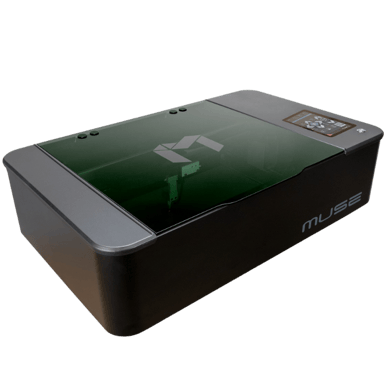

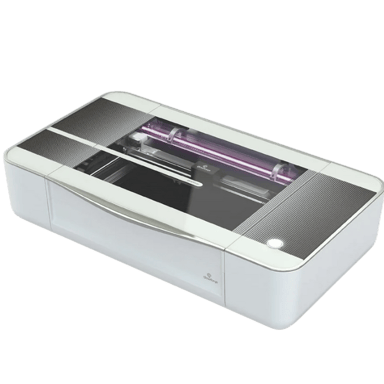
 Recaptor
 0
Cartling
0
Cartling